
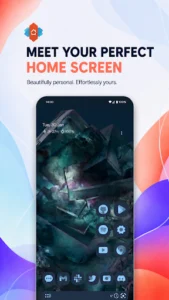
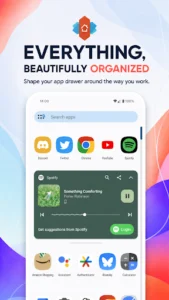
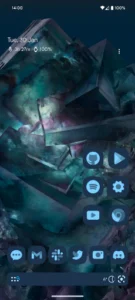
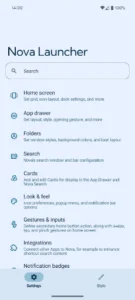
Nova Launcher: Home Screen functions as a home screen replacement app, allowing users to extensively customize and manage their device’s interface. It enables a comprehensive overhaul of home screens, providing tools to personalize the visual layout and optimize navigation. Users can achieve a precise arrangement of icons and widgets due to its unique subgrid positioning capability, which allows items to snap in between standard grid cells for a more refined setup.
Customization and Appearance
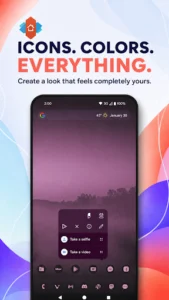
The app offers extensive options for visual customization. Users can apply thousands of icon themes available through the Play Store and reshape all icons to a consistent form. An extensive color system is available, supporting Material You colors from the system or allowing users to select their own. Furthermore, custom light and dark themes can be configured to sync with the system’s dark mode settings, sunrise and sunset times, or remain permanently active.
Home Screen and App Drawer Management
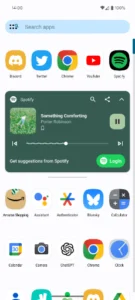
Users can customize various elements of their home screen, app drawer, and folders. This includes adjusting icon size, label colors, and the scroll direction (vertical or horizontal) for the app drawer. The search bar’s position can also be modified. The app drawer integrates customizable cards designed to present relevant information as needed. For precise control over layout, its subgrid positioning feature allows for the placement of icons and widgets in between traditional grid cells.
Integrated Search System
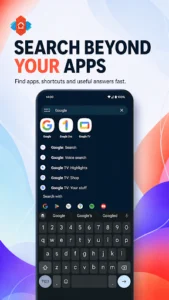
Nova Launcher includes a powerful search system that can locate content within installed apps, contacts, and other services through platform integrations. Beyond basic searches, it also provides instant Micro Results for practical tasks such as calculations, unit conversions, and package tracking directly within the search interface.
Backup and Restore Functionality
The app provides a backup and restore feature, simplifying the process of migrating settings between devices or experimenting with different home screen configurations. Backups can be stored locally on the device or saved to cloud services for convenient transfer.
Nova Launcher Prime Features
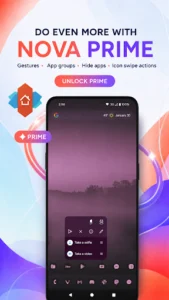
An optional upgrade, Nova Launcher Prime, unlocks additional capabilities. These include custom gestures that allow users to execute commands by swiping, pinching, or double-tapping on the home screen. Prime also enables the creation of custom tabs or folders within the app drawer for enhanced organization, the ability to hide apps from the app drawer without uninstalling them, and custom icon swipe gestures to increase productivity without consuming extra home screen space. Further features in Prime include additional scrolling effects and notification badges.







Write a review